Running Desktop as a Chrome-Based Application
A common headache when using a desktop service inside a browser tab is that key shortcuts like Ctrl+W or Ctrl+F4 get snatched by the browser before they reach the app.
The easy fix is to convert it into a self-contained application, relying on Chrome (or any Chromium-based browser).
1. Head to More Tools and choose "Create shortcut" for your desktop.
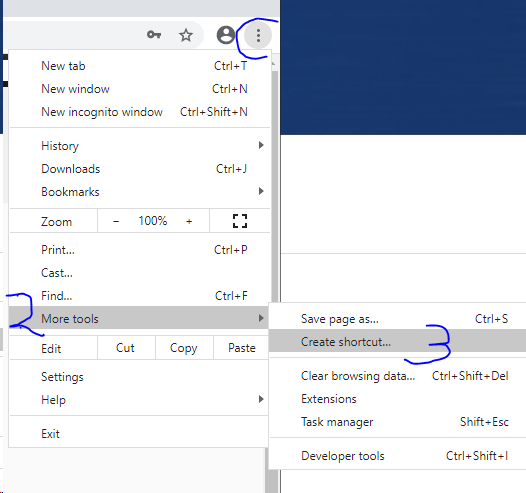
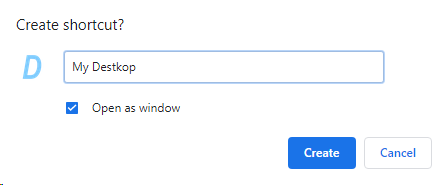
2. During the shortcut creation, tick the "Open as window" checkbox.
3. Start your application by double-clicking the shortcut icon on your desktop.
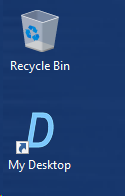
4. Launch the app and relish your fully working keyboard shortcuts.