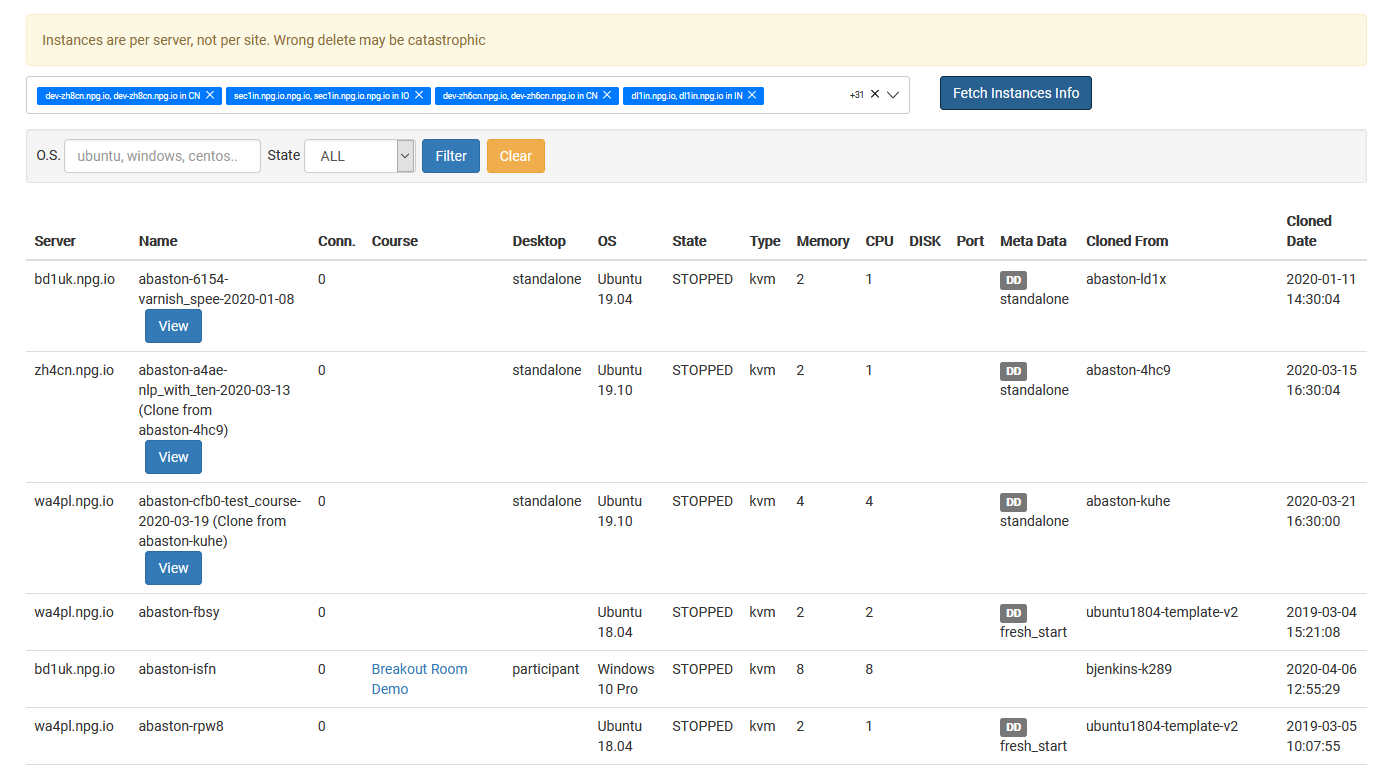
Managing All Desktop Instances
Super Administrators can use the Managing All Desktop Instances page to oversee and handle all desktop instances across the platform from one central location. This view offers a comprehensive picture of every desktop, irrespective of the organization, course, or server it's tied to, simplifying system usage monitoring and administrative work.
What You Can Do
- Get a complete list of all desktop instances on a single page.
- Use search and filtering to quickly locate particular machines.
- Look up the latest status and details for any desktop instance.
- Take management actions on chosen instances as needed.
- Keep an eye on desktops across different organizations, servers, and data centres—all from one place.
Who Can Access This Feature
The Managing All Desktop Instances tool is a Super Administrator feature designed for those who require visibility and control over desktop instances spanning the whole DaDesktop environment, rather than being limited to one organization or course.