Managing Work Desktops
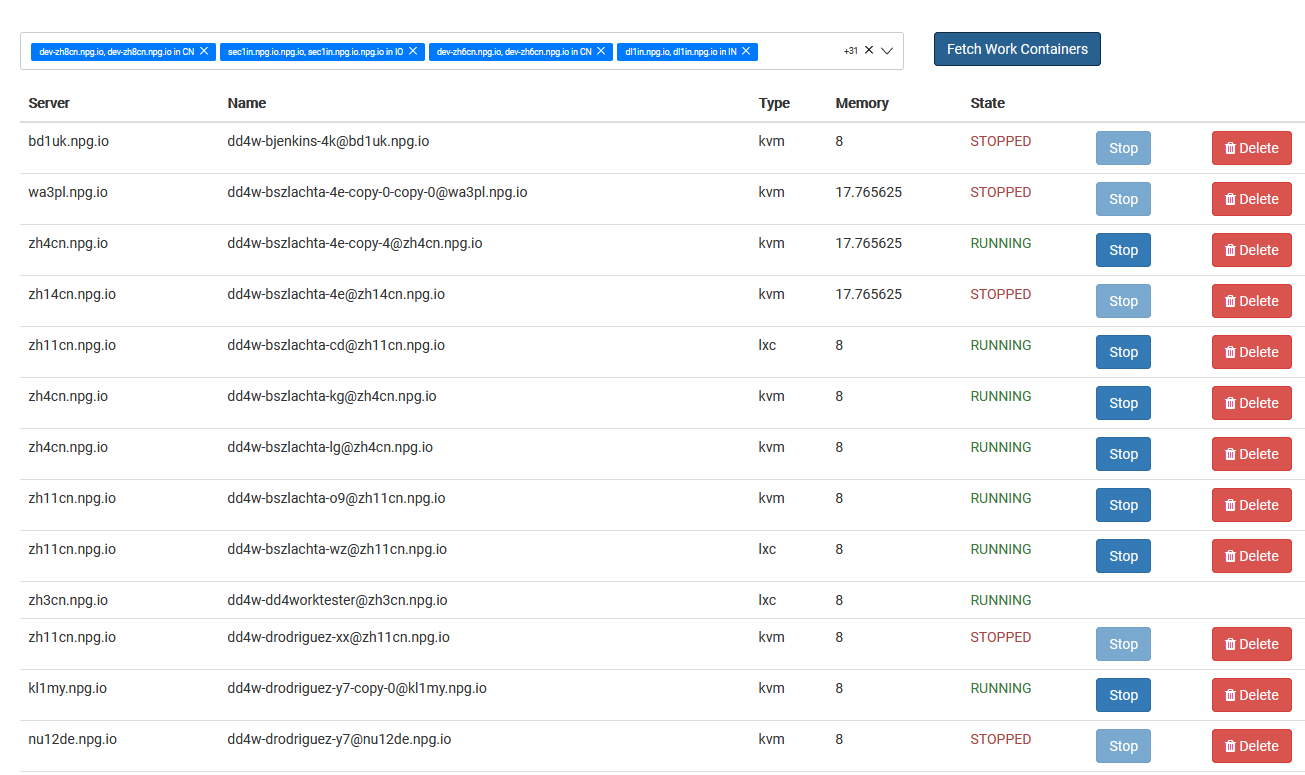
From the Managing Work Desktops page, Super Administrators can oversee and control every DaDesktop for Work desktop in a single location. Work desktops, built for extended usage, are allocated to specific users, granting them secure, uninterrupted access to their desktop environment.
Work Desktop Listing
The interface shows every work desktop along with its up-to-date status and essential details. Administrators can swiftly spot desktops, track their readiness, and perform management tasks as needed.
Available Operations
Based on each desktop and its condition, administrators can carry out management operations right from the UI. These functions support the upkeep of work desktops across their lifespan, making sure users retain access to their designated environments.
Administration Overview
The Administration page offers a consolidated overview for overseeing work desktop assets. It streamlines management by letting Super Administrators keep an eye on and handle user work desktops from one spot, without interfering with other desktop kinds employed for training or standalone use.