Handling Recordings
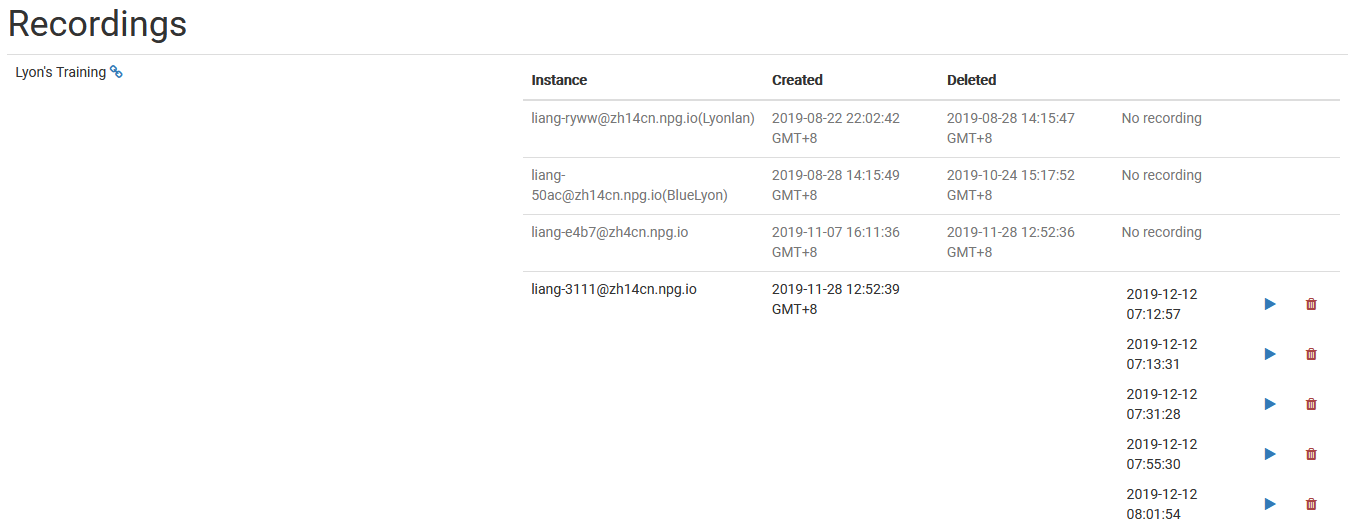
The Managing Recordings page lets Super Administrators inspect and handle recordings made in DaDesktop. This central hub gives admins a clear overview of all available recordings, making it easy to stay organized and clear out any recordings that are obsolete.
Recording Management
On the recordings management page, administrators can scroll through the list and examine recording specifics. This streamlines monitoring recordings platform-wide and carrying out maintenance tasks as necessary.
Deleting Recordings
Recordings that have outlived their usefulness can be taken off via the management interface. Clearing out unnecessary recordings keeps the system tidy and cuts down on wasted storage space. Be sure to only delete recordings that are truly surplus to requirements, since removal is a final action meant to permanently clean up.