My Account
Every user can adjust several settings within their account.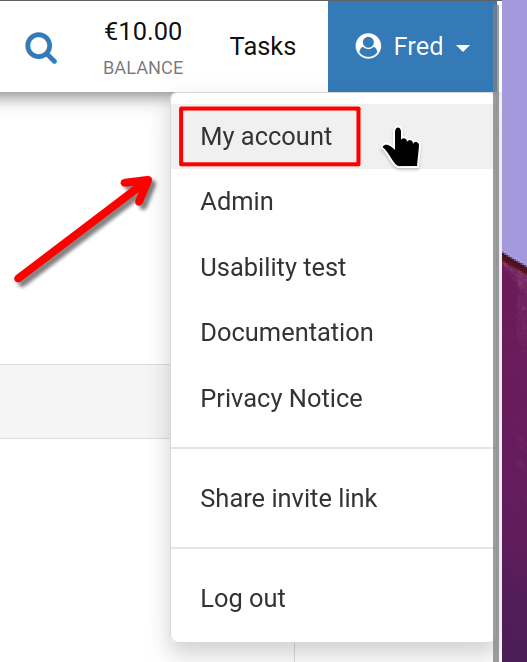
Begin by clicking your user name at the top right corner, then select 'My Account' as illustrated.
My Account
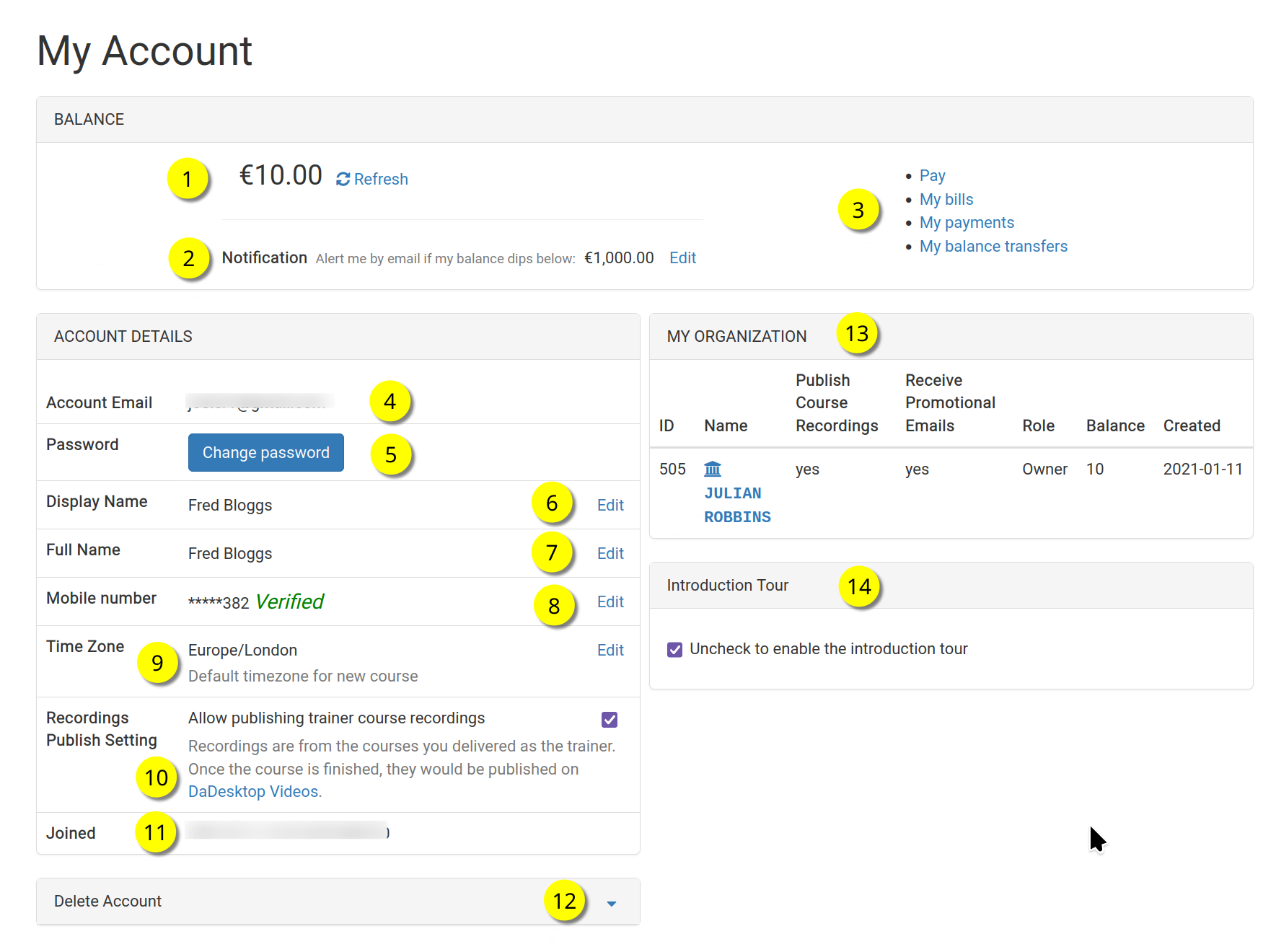
This displays the 'My Account' page.
Refer to each number below to understand the corresponding feature.
Reference
| Description | ||
|---|---|---|
| 1 | Balance | Displays the account's current balance. |
| 2 | Notification | An email alert can be triggered when the balance falls below a user-defined threshold. Each user sets this value individually. |
| 3 | Billing Links | This area offers links to Payment, Balance, Previous Payments, and Balance Transfers. |
| 4 | Account Email | This field is fixed and cannot be modified. |
| 5 | Password | Here the user can update their password. |
| 6 | Display Name | The display name shown to others; it can be edited at any time. |
| 7 | Full Name | The user's full name, which can also be adjusted when needed. |
| 8 | Mobile Number | The mobile number can be updated as necessary. |
| 9 | Timezone | Ensures that all timestamps appear in the appropriate local time for the user. |
| 10 | Recordings Publishing Setting | Trainers can choose whether to permit course recordings made on their machine to be published on the dadesktop.com/videos website. |
| 11 | Joined | The date the user became a member of DaDesktop. |
| 12 | Delete Account | To permanently delete their DaDesktop account, the user can click this option. All associated personal data will be erased. |
| 13 | My Organisation | Users can also create an Organisation linked to their account. This section displays the organisation's details. |
| 14 | Introduction Tour | The introduction tour can be reactivated by unchecking this box. This will cause the guided walkthrough to appear once more. |