Remote Replica
The Remote Replica feature serves to duplicate, or clone, your Fresh Start Desktop onto a separate server, typically located elsewhere. Once configured, all modifications made to your machine are quietly and automatically mirrored in the background to that replica, with no additional user action needed.
Remote Replica offers considerable flexibility and can be employed in several ways; two such scenarios are described below.
Note: At present, Remote Replica is exclusively available for Fresh Start machines, though it can also be utilized within DaDesktop for work (DD4W).
Option One: Create a Remote Replica (clone) of your Desktop on a server in an alternative data centre
For added peace of mind, you might want to set up a Remote Replica of your desktop on a server housed in another data centre, safeguarding against any unexpected downtime of the primary server. Should that occur, you can carry on working with the replica copy, picking up exactly where you left off.
By default, our Fresh Start machine is hosted in the UK Data Center—for instance, bd3uk.
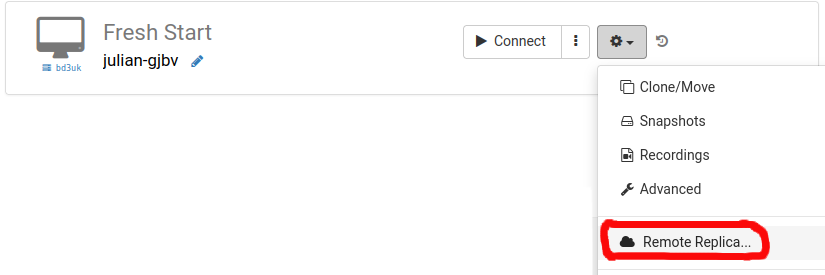
Select the Data Centre where you want the Remote Replica to reside, ideally distinct from your current machine. You could opt for a different data centre, or even a different country, like Hungary.
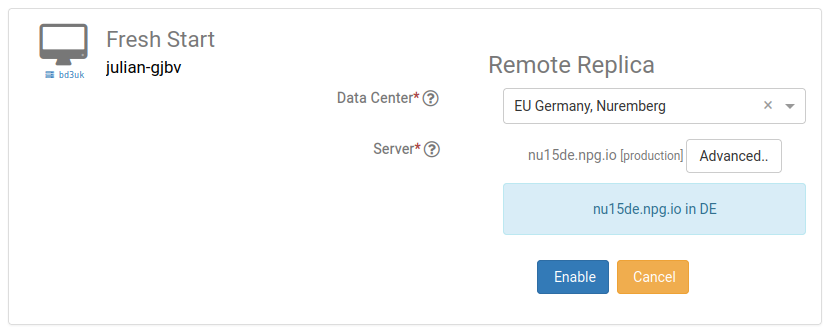
The replica desktop is now being generated. The duration will depend on the geographic distance to the replica's location and the size of your Desktop. You may keep using your original machine during this process.
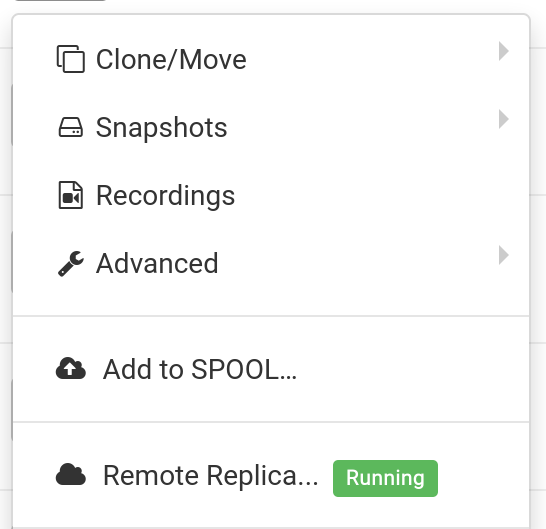
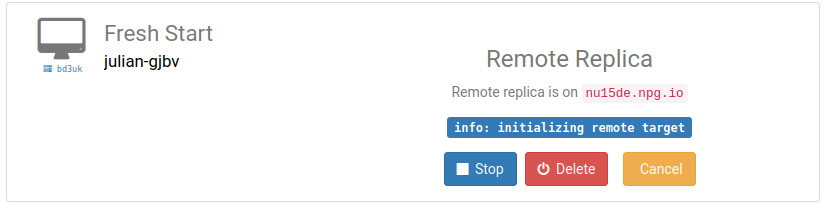
Restoring a Remote Replica
Should you ever lose access to your FreshStart Desktop for any reason, you have the option to restore the Remote Replica that was previously configured.
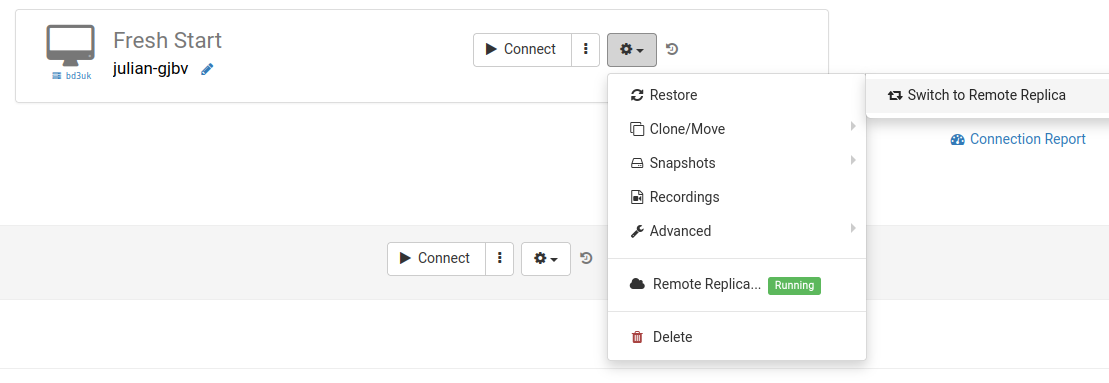
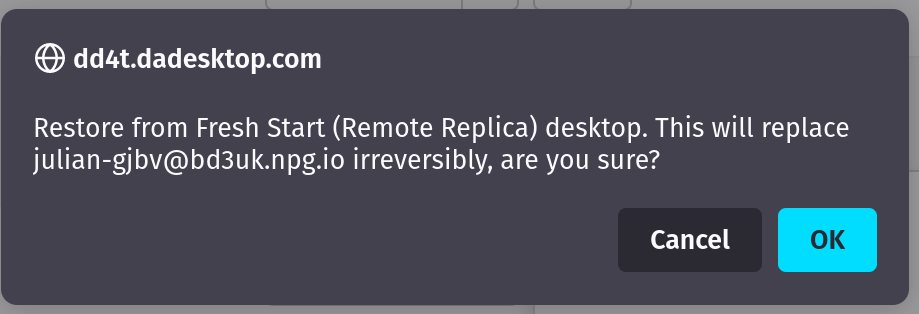
After you begin using the Remote Replica, you cannot revert to the original Desktop. This is not an issue, since the replica is an identical copy.
Bear in mind that once you switch to the replica desktop, the Remote Replica process stops running. If you want to establish another replica, you must repeat the initial setup steps to create a fresh replica desktop.

Scenario two: Using a Replica to reduce connection latency for FreshStart in another geographical region
Remote Replica is particularly handy when you require a clone of your Fresh Start machine situated physically nearer to you—perhaps here in Hungary—while you're developing course content. For instance, a trainer based in Germany might be delivering a course in South Africa. DaDesktop makes managing such cross-location courses straightforward.
In that scenario, you would not want the Fresh Start Desktop used for course creation to reside on a South African server, because the latency would be too high. Instead, you set up a Remote Replica of your desktop in a nearby region, such as Europe, to keep latency low. The replica stays synchronised with every change you make.
Once you finish your work on the Fresh Start Desktop, restore the Remote Replica onto the trainer machine situated in South Africa, enabling rapid duplication to both trainer and participant machines.