Desktop Snapshots
Working with Desktop Snapshots
Snapshots enable you to 'back up' your virtual machine and restore it effortlessly.
As an illustration, if you're performing an upgrade that might destabilize your system, you can shut down the VM and capture a snapshot before proceeding.
Should the upgrade go smoothly, you can delete the snapshot; otherwise, you may revert the machine to its earlier condition.
Snapshots are supported across all DaDesktop variants—Fresh Start, Trainer, Participant, and Standalone machines can all leverage snapshots.
Keep in mind that restoring a snapshot powers the machine down, readying it for a restart.
Taking Snapshots
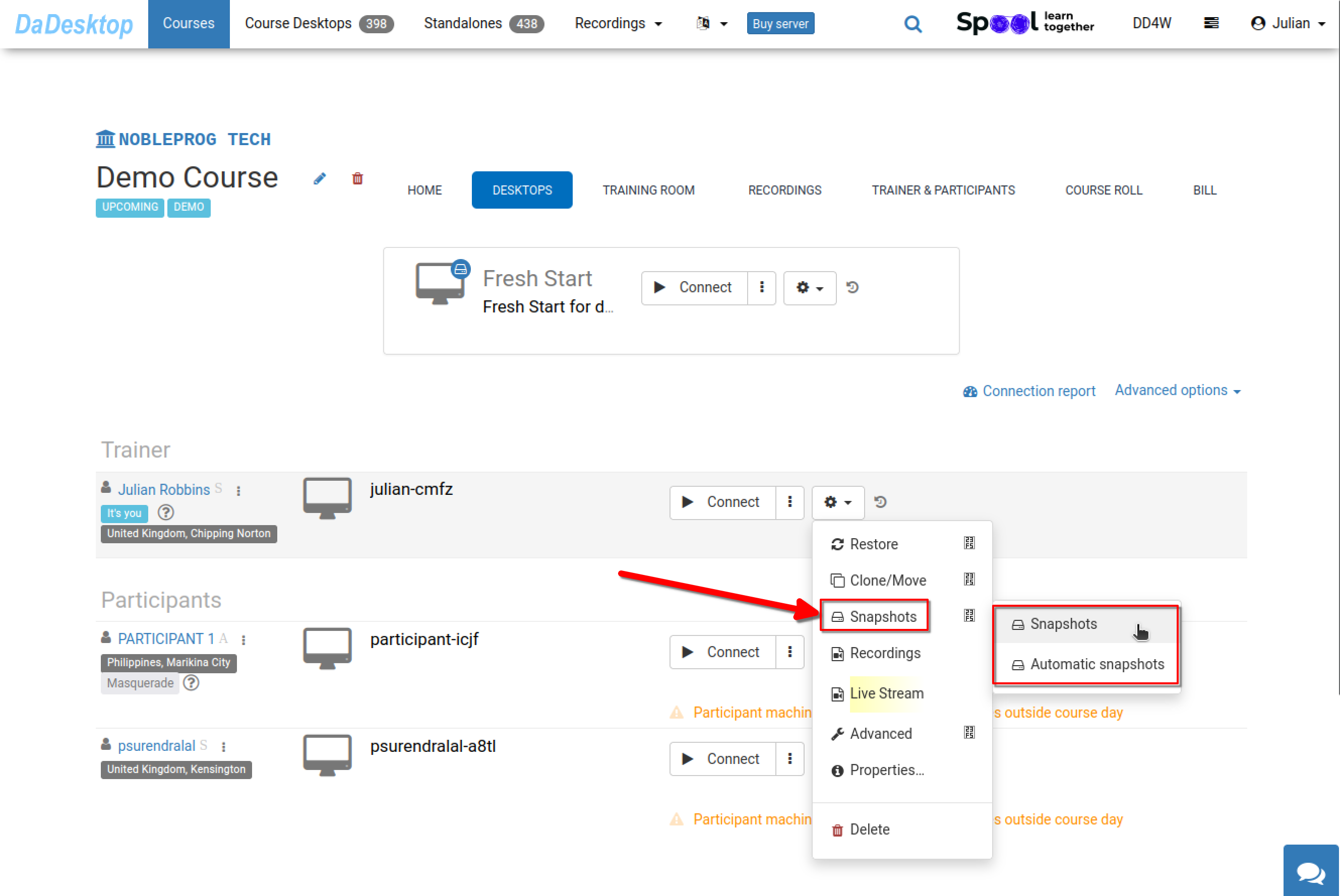
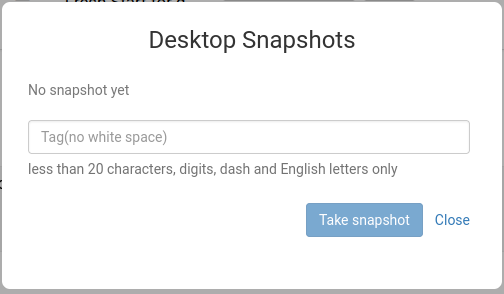
Here’s how to capture a snapshot. Assign a descriptive name so you can identify the exact moment it was taken.
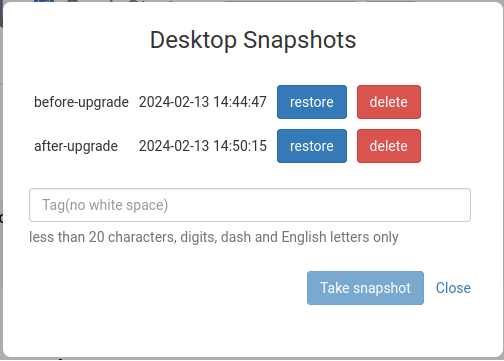
In the view below, two snapshots have been saved at different stages. They can be restored or removed as needed.
Scheduled Desktop Snapshots
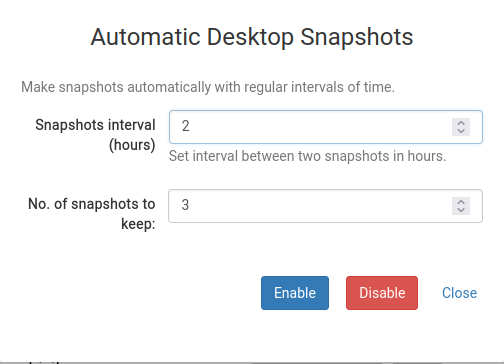
If you'd rather have snapshots created automatically on a regular schedule so you never miss one, Scheduled Desktop Snapshots are the perfect solution.
You can configure the number of snapshots to retain and the interval at which new ones are generated right here.